Ever feel like your eyes need a spa-level reset after an all-day screen grind? You’re not alone, and yes, there’s a gentle way to help them settle.
The Galaxy G-One eye massager blends a few soothing therapies into one small device. It uses 7.8 Hz PEMF (Pulsed Electromagnetic Field therapy), a gentle pulsed field that feels like a soft hum, plus graphene heat set to 42°C (about 107°F), airbag kneading (a gentle squeeze-and-release), and low-frequency vibration to calm the skin and muscles around your eyes. Picture it like a warm sunrise waking up the skin around your eyes.
In this quick guide we’ll walk you through charging and fitting the device, picking the best mode, and building a simple 30-minute routine to ease tension and boost comfort. Think of the routine as a mini self-care break you can do after work or before bed.
Start with heat-only sessions, then ease into the massage settings as your eyes relax. You’ll likely notice calmer, less tired eyes by evening. Relax. Breathe.
Galaxy G-One Eye Massager: Overview and Quick Start

The Galaxy G-One uses a gentle 7.8 Hz PEMF (Pulsed Electromagnetic Field therapy), known as the Schumann Wave, to support whole-eye wellness. Think of PEMF as a soft, pulsed hum that helps cells repair and relax. Have you ever felt tension melt away? This aims for that calm, and to improve tiny blood flow around the eyes.
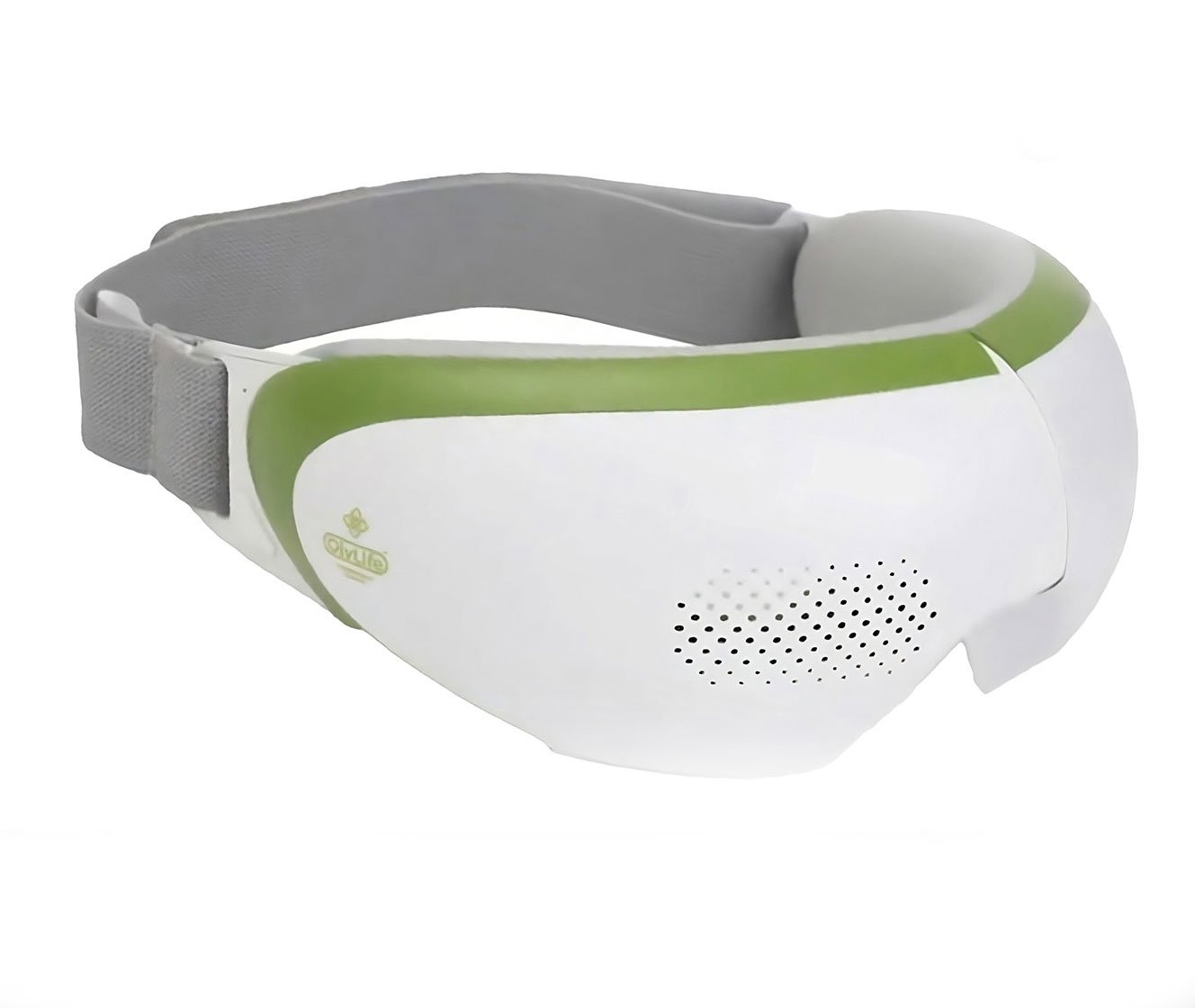
This model is a world-first design that keeps things simple. One button turns it on and off. The frame folds and is lightweight for travel. It also combines four core technologies: bionic ultra vision technology, portable full-fit technology, a barrier-free usage system, and recombinant protein weaving technology (a fabric method that improves comfort and fit).
Quick tip: keep the Galaxy G-One eye massager instruction handy when you’re learning the controls. It’ll help you match mode names and timing without guesswork.
Inside, the G-One blends three main comforts: six-zone 3D airbag kneading, intermittent low-frequency vibration massage, and a graphene 42°C constant-temperature warm compress (graphene is a fast, even heater). That 42°C is about 108°F , cozy, not scalding.
There are seven modes so you can tailor sessions, from full function down to heat-only. Start with gentler modes and try a 30-minute session each day to notice changes. Evening use often feels best for comfort and relaxation. Oh, and here’s a neat trick: begin heat-only for a few sessions, then add massage as your eyes settle in.
- Charge the device fully with the USB cable before first use.
- Fit and adjust the strap so the pads sit gently over your eyes – secure, not tight.
- Press the main button to power on, then follow the Galaxy G-One eye massager instruction to cycle modes.
Galaxy G-One Device Setup and Charging Guide

Charging the Galaxy G-One
Give the battery a full charge before first use. It takes about 2 hours with the included USB-C cable (reversible connector). You’ll see a gentle LED glow that tells you the status: a steady light usually means full, a flashing light means it’s still charging. Ever noticed those tiny lights and wondered what they mean? Now you do.
Quick tip: charge before long trips and don’t let the battery sit completely drained for weeks. Unplug when it’s fully charged and keep the cable with the unit so you don’t lose it. If runtime shrinks after many months, try one full charge cycle to help recalibrate the battery.
Adjusting the Strap and Fit
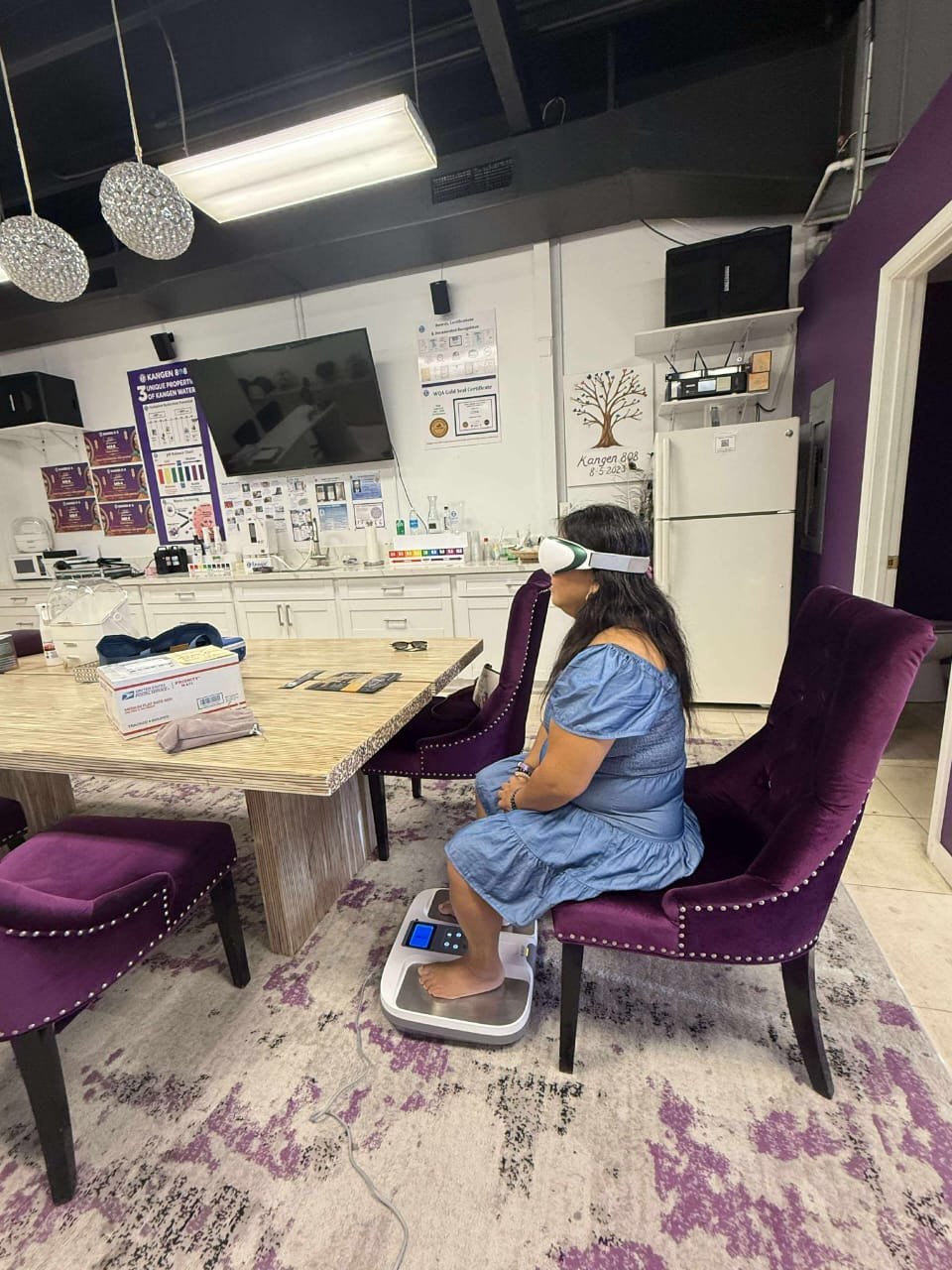
Start with clean, dry skin around your eyes. Place the massager gently over your eyes and tighten the strap until the silicone pads rest softly against the orbital area (the bones around your eyes). You want light contact for the sensors, not pressure on your eyeballs. Think of it like a soft, comforting hug. Relax.
Pre-use checklist: charge the unit, fit the strap, then press power to enter the default massage mode. Oh, and here’s a neat trick: if the pads feel off-center, shift the frame a hair forward or back until it feels balanced. Little moves change comfort a lot.
For travel, fold the frame flat, tuck the strap in, and drop the USB-C cable into a small pouch so everything stays protected. Then you’re ready to go.
Galaxy G-One Controls and Selecting Eye Massage Modes

The Galaxy G-One has one button that walks you through every setting. Press it to move to the next option, then press again to pick that mode. It’s simple and calm. Quick. Easy.
| Mode | Components | Recommended Use |
|---|---|---|
| Full function | Airbag kneading + vibration + 42°C heat | Daily relaxation and a circulation boost |
| Kneading + heat compress | Six-zone 3D airbag kneading + 42°C compress | For stiff or tired muscles around the eyes |
| Kneading + vibration | Airbag kneading + intermittent low-frequency vibration | Gentle tension release and muscle relief |
| Vibration + heat compress | Vibration + 42°C compress | Refresh with warmth and pulsed massage |
| Kneading | Six-zone 3D airbag kneading | Targeted pressure for puffiness and stiffness |
| Vibration | Intermittent low-frequency vibration | Soothing pulses for eye strain relief |
| Heat compress | Graphene (thin conductive material) 42°C steady warm compress | Warmth to calm and improve microcirculation |
The heat pad holds a steady, cozy 42°C. It feels like a warm sunrise on your skin. For vibration, start low and raise the intensity slowly until it feels right. Little taps. Not too much.
The air pressure function works around six zones near your eyes to give balanced care. Think of it like gentle fingers kneading around your orbital bones. Timer defaults to 30 minutes, but you can shorten or extend sessions from the control. Oh, and here’s a neat trick: for a quick refresh, try 10 minutes.
Pick the mode that matches how your eyes feel that day. Gentle vibration for screen strain, heat for soreness, kneading for puffiness. Have you ever felt tension melt away? Breathe. Relax.
Recommended Session Length and Safety Precautions for Galaxy G-One

Start with a gentle 30-minute session each day. That’s a nice baseline to help your eyes feel clearer, less tired, and to support circulation. Shorter sessions of 10 to 15 minutes work well for quick relief or a midday reset. Think of the Galaxy G-One like a mini massage around your eyes, soft and warming. Have you ever felt tension melt away? You might with a few sessions.
- Don’t use the device if you have an active eye infection, very irritated eyelids, or open cuts near the eye area.
- Avoid use after recent eye surgery or if you have a fresh corneal injury; wait until your eye doctor clears you.
- If you have severe eye conditions, like advanced glaucoma or unstable retinal disease, pause use and check with your eye doctor first.
- Never use the Galaxy G-One while driving or operating machinery. Set it down and relax in a safe place.
- Stop right away if you feel sharp pain, sudden vision changes, or intense discomfort. Contact your clinician.
If you’re unsure about the best schedule for you, check with an optometrist (eye doctor). Pay close attention to how your eyes respond and avoid overuse. Regular short sessions are kinder than long, frequent ones.
Think of the massager as gentle therapy. Be consistent, be mindful, and get professional guidance when needed. Oh, and here’s a neat trick: try the lowest setting for the first few sessions while lying back and breathing slowly. Relax.
Cleaning, Storage, and Maintenance of the Galaxy G-One Eye Massager

Clean it after every use. First, power the unit off and unplug it. Then gently wipe the exterior and the silicone eye pads with a soft, dry cloth to lift away sweat and oils.
If you need a deeper clean, use a lightly damp cloth. Never soak the device or let water reach the charging port. And don’t use harsh sprays or solvents , they can damage the fabric and the graphene heater (a thin, flexible heating layer). Let the massager air-dry fully on a clean surface before you fold or store it.
Check the device once a month for long-term care. Look over the frame, the strap, and the silicone pads for wear, loose seams, or cracks. Swap the pads if they look compressed, torn, or flattened.
Store the Galaxy G-One in a cool, dry spot out of direct sunlight. Keep the USB cable in a small pouch so it won’t tangle or bend. Cleaning after each use keeps the massager feeling fresh and working well between those monthly checks.
Oh, and a quick tip: if the strap or pads feel sticky, a light wipe and full air-dry usually does the trick. Don’t fold or stash it away while it’s still damp. Relax. Breathe. Your massager will thank you.
Troubleshooting Common Issues with the Galaxy G-One Eye Massager

When something feels off, take a calm, step-by-step approach. Start with the basics: power, charge, strap fit, and a quick reset. Small checks often fix most problems and save time.
If the device won’t power on, first make sure it’s charged. Look at the LED light: a steady light usually means full, and a flashing light usually means charging. Check the USB cable for breaks and try a different power source or cable if you need to.
If the massager seems frozen or won’t respond, reset it by holding the power button for 5 seconds. After it resets, press the power button again to restart. This simple trick fixes a lot of glitches.
Seeing blinking lights or error codes? Pause and note the blink pattern and any onscreen code. Then consult the manual and match what you saw to the guide before trying other fixes.
Modes don’t start or sessions stop mid-cycle? Check the strap sensor alignment in the barrier-free system. Clean the silicone pads gently and make sure the fit is snug but not tight, think sleep mask, not helmet. If pads look worn or the strap is frayed, replace them.
For firmware updates and software compatibility, follow the official instructions in the manual or app. Update only when the battery is charged. If problems keep happening, contact support and include your device serial number, firmware version, and a clear description of the issue for faster help.
Need a quick tip? Sometimes unplugging, waiting 30 seconds, and plugging back in can help. Relax. Breathe. And if you still get stuck, support is there to walk you through it.
Key Benefits and Best Practices for Galaxy G-One Eye Massager

Think of the Galaxy G-One as a gentle reset for tired eyes. It soothes screen fatigue, helps circulation around the lids, eases muscle tension, and can leave you feeling calmer after a short session. Technical details about PEMF (Pulsed Electromagnetic Field therapy) and graphene heat (graphene-based warming tech) are kept in the Overview.
- Eye strain relief: soothes that heavy, tired feeling after long computer or phone use. It may also reduce redness and the scratchy, strained sensation you get from late-night work.
- Blood circulation boost: supports microcirculation near the eyelids and surrounding tissue, which helps comfort and nutrient delivery. Think of it like a gentle wake-up for tiny capillaries.
- Muscle tension release: six-zone airbag kneading plus gentle vibration targets tight muscles around the orbital bones. It feels like light, methodical pressure and a soft buzz, helping lower local pressure and soreness.
- Stress-relief potential: short, focused sessions often feel calming and can nudge the nervous system toward relaxation. Individual responses vary. Example: “After a 15-minute session, my jaw unclenched and I felt noticeably calmer.”
Practical tips and safety
Apply a thin layer of eye cream or serum if you want better absorption. Wait about one minute after applying, then run a 10-30 minute session for comfort and absorption. Don’t use the device on broken, irritated, or inflamed skin. If you’re using prescription topical medications or drugs that increase light or skin sensitivity, check with your clinician first.
One small note: the technical write-ups on PEMF and graphene heat live in the Overview if you want the how-it-works version. See References for validated source material on PEMF and stress-relief effects.
Relax. Breathe. Have you ever felt tension melt away with a few minutes of care? This device aims to give you that, gently and simply.
結語
We jumped straight into the Galaxy G-One’s PEMF (Pulsed Electromagnetic Field therapy) tech and its foldable, single-button design, plus seven customizable eye care modes and a 30-minute daily rhythm.
We covered charging and strap fit, mode selection, safety tips, cleaning, troubleshooting, and simple ways to pair the device with creams or serums for extra comfort.
If you want a gentle reset after a long day, try how to use the Galaxy G-One eye massager by following the quick-start steps, relief, better sleep, and a brighter day ahead.
常問問題
常問問題
How do I use my eye massager and SKG eye massager?
To use your eye massager, including SKG models, charge fully, fit the adjustable strap comfortably over closed eyes, press the single button to cycle modes, pick a gentle setting, and relax for the session.
How long should you use an eye massager for?
The recommended usage is 30 minutes daily to begin noticing comfort improvements; start with shorter 10–15 minute sessions if new, and work up to 30 minutes while watching for any discomfort.
Do the eye massagers really work?
Eye massagers can ease eye strain, reduce puffiness, and boost circulation through heat, air pressure, vibration, and PEMF (Pulsed Electromagnetic Field therapy); individual results vary, and regular sessions bring clearer benefits.